
Managing Tags
Tags give important revisions stable names, commonly for releases or milestones. Unlike a branch, a tag does not move when you add commits. Gitfox can create lightweight or annotated tags and delete tags locally or from a remote repository.
New Tag
Create a tag when you want a permanent name for a specific branch, tag, or commit.
Choose Repository → Create New Tag, press T, or select one revision in the repository sidebar or commit history and choose New Tag from … from its context menu. This opens the New Tag dialog .
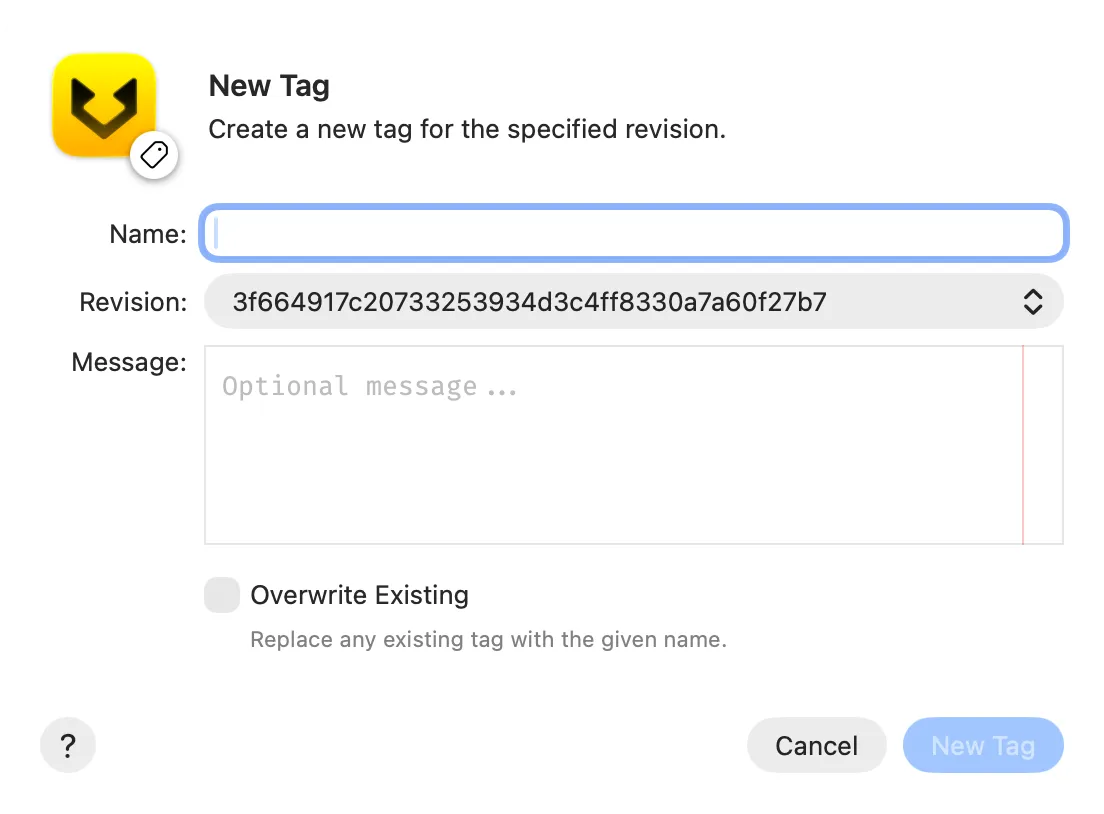
Then:
- Enter the tag
Name. - Choose the target under
Revision. You can select a branch or tag, or enter a commit ID. - Optionally enter a
Message. A message creates an annotated tag that records the message and tagger information. An empty message creates a lightweight tag that points directly to the revision. - Enable
Overwrite Existingonly if the same local tag name already exists and you intend to replace it. - Click
New Tag.
Creating a tag changes only the local repository. To share it, choose Repository → Push… and push the tag, or enable Push All Tags when pushing another reference.
Overwrite Existing can move a tag name to a different revision and replace an existing annotated tag. Anyone who already received the old tag can continue to have a different target under the same name. Coordinate before moving a shared tag. Overwriting locally does not replace the tag on a remote; that requires a separate force push.
Delete Tags
Delete a tag when its name is no longer needed or points to the wrong revision. If you only need the name to point somewhere else, you can instead recreate it with Overwrite Existing.
Select one or more tags in the repository sidebar, open the selection’s context menu, and choose Delete Tag … or Delete Tags…. The Delete Tags dialog lists every tag that will be removed.
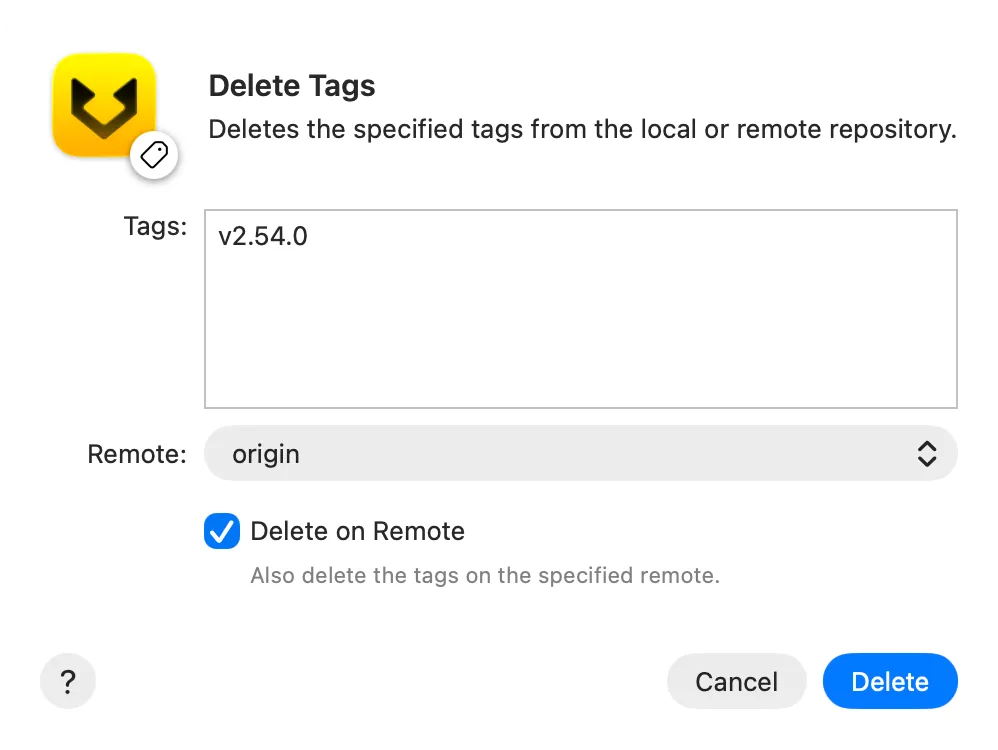
Review the list and these options before clicking Delete:
- With
Delete on Remotedisabled, Gitfox deletes the selected tags only from the local repository. - Enable
Delete on Remoteto also delete the same tag names from the remote selected underRemote. This changes the shared remote repository and can affect collaborators and automated release workflows.
Gitfox always deletes the local tags first. If remote deletion then fails because of authentication, connectivity, or remote permissions, the local tags remain deleted. Recreate the local tags from their original revisions before retrying if you still need them locally.
Deleting a tag does not delete the commit or change any branch. However, a commit that no branch or other tag references can eventually become unreachable. Gitfox has no undo command for tag deletion, so record the target revision first if you may need to recreate the tag.
Deleting a remote tag does not remove copies that collaborators already have in their local repositories. Tell collaborators when a shared tag is removed or replaced so they can update their local tags deliberately.
Further reading
See the optional Git tag documentation for the underlying command and its complete option reference.