
Quick Actions
Open the Quick Actions Panel with Repository → Quick Action or press ⌘P.
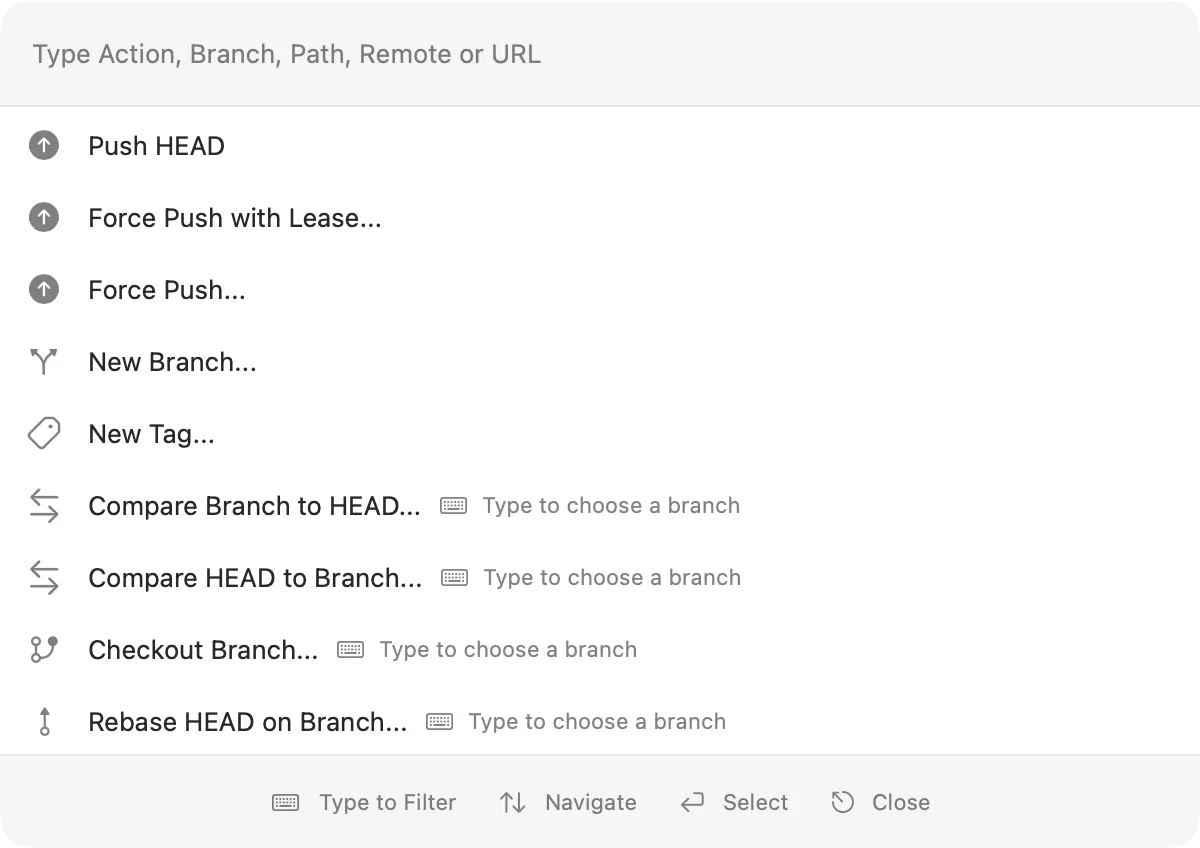
Start typing an action or target. You do not need to enter the exact action title: Quick Actions ranks fuzzy and multi-word matches by relevance. The available actions depend on the open repository, current view, and selection.
Use the arrow keys to navigate the results, press Return to choose an action, and press Escape to close Quick Actions.
Choose a suggested action and continue typing to select its target.
For example, enter merge release to merge the release branch into HEAD without selecting it in the sidebar first.
Quick Actions also accepts saved repository names, local paths beginning with / or ~, and Git clone URLs.
All available Quick Actions
The commands shown depend on the open repository, current view, selection, configured tools, and Gitfox edition.
Repositories and remotes
Clone…Clone "URL"Open…Open "Path"Open Saved Repository…andOpen "Repository"Add New Remote…Add New Submodule…Fetch…Fetch AllFetch HEADFetch Remote…andFetch "Remote"
Synchronization
Sync HEADPull…Pull HEADPush…Push HEADForce Push with Lease…Force Push…
Branches and tags
New Branch…New Tag…Checkout Branch…andCheckout "Branch"Compare Branch to HEAD…andCompare "Branch" to HEADCompare HEAD to Branch…andCompare HEAD to "Branch"Merge Branch into HEAD…andMerge "Branch" into HEAD…Rebase HEAD on Branch…andRebase HEAD on "Branch"…Delete Branch…andDelete Branch: "Branch"Delete Tag…andDelete Tag: "Tag"
Changes and history
CommitAmendStage AllSnapshot All Changes…Push Stash…Apply Stash…Rebase HEAD…Merge Into HEAD…Discard ChangesDiscard All ChangesInteractive Rebase: Reword SelectionInteractive Rebase: Edit SelectionInteractive Rebase: Squash SelectionInteractive Rebase: Fixup SelectionInteractive Rebase: Drop Selection
Git-flow
Git-Flow: Initialize…Git-Flow: Deinitialize…Git-Flow: Start Feature…Git-Flow: Finish Feature…Git-Flow: Start Bugfix…Git-Flow: Finish Bugfix…Git-Flow: Start Hotfix…Git-Flow: Finish Hotfix…Git-Flow: Start Release…Git-Flow: Finish Release…
Views and tools
Show WorktreeShow GraphShow StashesShow SettingsShow HEAD BranchShow Repository in FinderShow Selection in FinderShow Repository in TerminalShow Selection in TerminalOpen Repository in EditorOpen Selection in EditorOpen Diff or MergetoolOpen Link Manager…Toggle FullscreenBack