
Find Bugs with Git Bisect
Git Bisect helps you find the commit that introduced a problem when you know an older commit works and a newer commit does not. Instead of testing every commit, Gitfox repeatedly checks out a commit near the middle of the remaining range. Each result cuts down the commits left to test.
Bisect is useful for regressions that you can reproduce reliably, such as a failing test, a broken build, or changed app behavior. Decide what counts as good and bad before you start, and use the same check for every commit.
Commit or stash any working-tree changes before starting. A bisect checks out several older revisions, and those revisions might require different build tools or dependencies.
Start Bisect
Start from the history of the currently checked-out branch:
- Select a commit where the problem did not occur.
- Open the commit’s context menu and choose
Bisect…. Gitfox uses the selected commit asGood CommitandHEADasBad Commit. - Review both revisions in the
Start Bisectdialog . ClickFlipif the good and bad commits are reversed. - Click
Start Bisect.
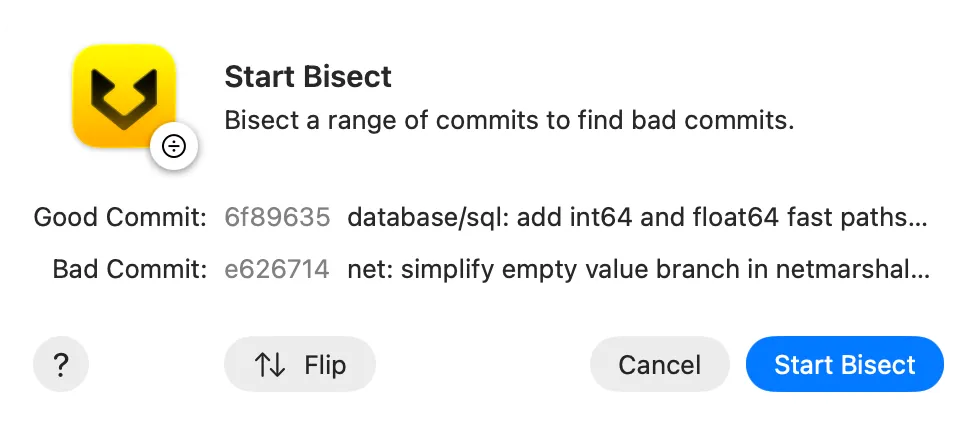
You can also select a range of commits before choosing Bisect…. Gitfox uses the oldest selected commit as good and the newest selected commit as bad.
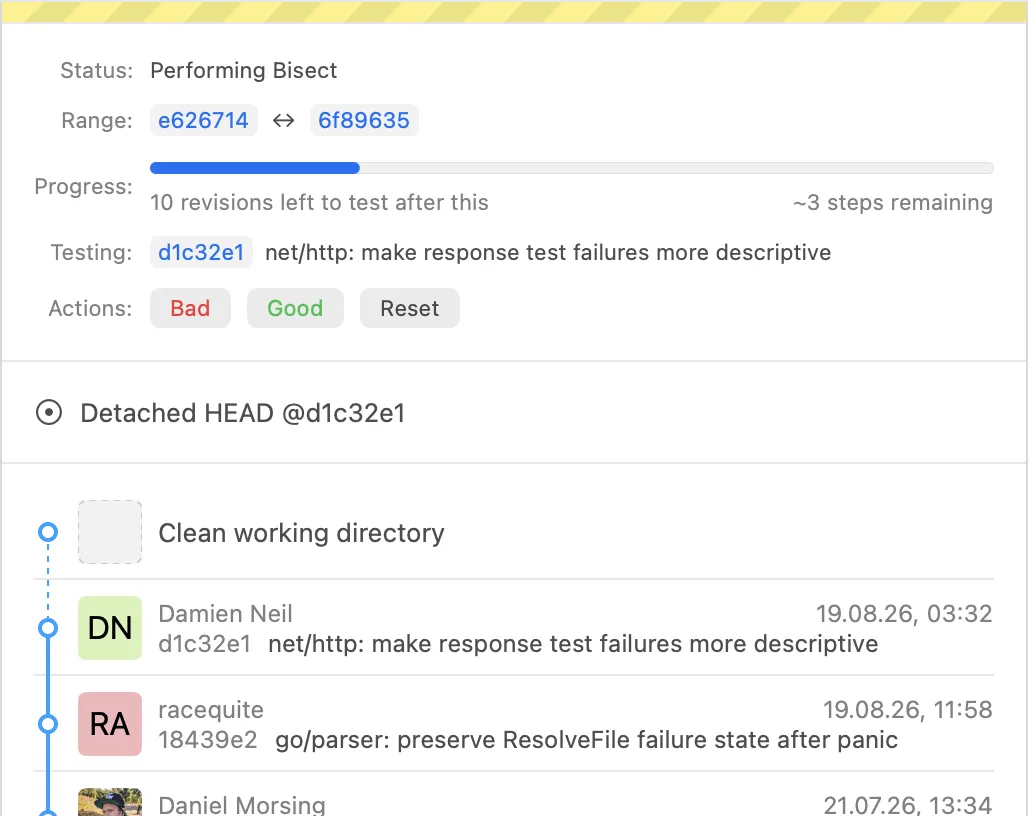
The good commit must be an ancestor of the bad commit in the current branch’s history. Gitfox checks out the first commit to test and shows the active bisect in the repository state bar .
Test each commit
For each commit that Gitfox checks out:
- Run the same test or reproduce the same behavior.
- Click
Badin the repository state bar if the problem occurs. - Click
Goodif the problem does not occur. - Wait for Gitfox to check out the next commit, then repeat the test.
The progress indicator shows how much of the range remains. During the bisect, Gitfox checks out individual commits rather than moving your branch. Avoid creating commits or changing branches until you finish or reset the session.
Identify the problematic commit
After the final test, the repository state bar shows the first bad commit. This is the earliest commit in the tested history where the problem occurs.
Review that commit and its changes to confirm the result. Then click Finish. Gitfox ends the bisect and restores the revision that was checked out before the session.
Click Reset at any time to stop without a result and restore the previous checkout. Starting and finishing a bisect does not rewrite branch history.
Further reading
See the optional Git bisect documentation for the underlying command and its complete options.